


AccuLynx and EagleView integration
Get your EagleView reports delivered directly in AccuLynx to save time, eliminate data entry, and reduce errors. This convenient integration streamlines the entire measurement and estimating process for roofing contractors.
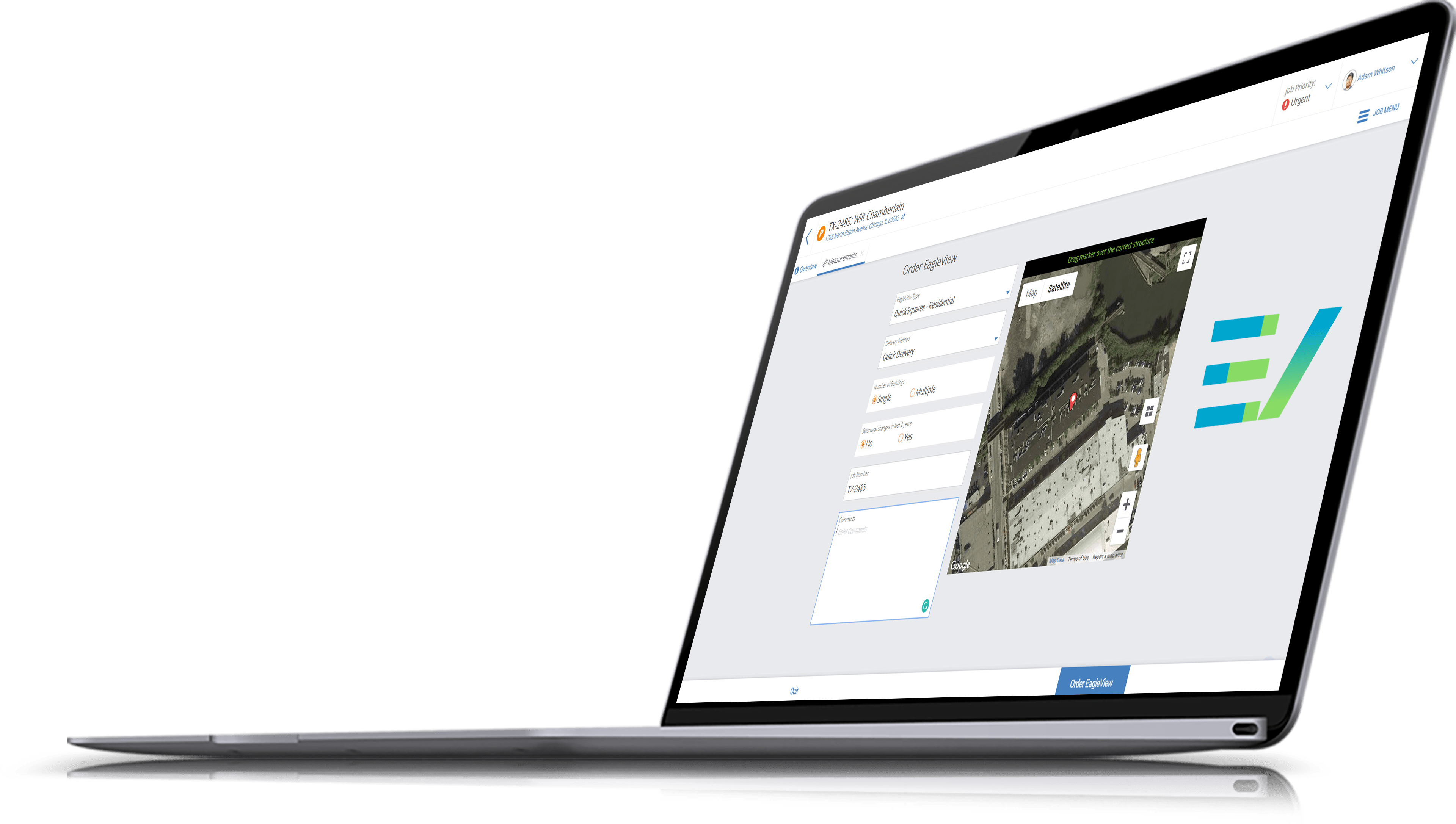

About AccuLynx’s integration with EagleView
EagleView is a leading provider of aerial imagery and measurement reports for contractors. AccuLynx’s integration with EagleView allows roofing contractors to order EagleView reports right from AccuLynx—with the simple click of a button.

Simplify the roof measurement process
Do everything from AccuLynx, including ordering EagleView reports! This time-saving integration eliminates the need to log into another account or upload files. When you order an EagleView report through AccuLynx, your measurements are delivered back to AccuLynx and automatically stored in the relevant job file, so they’re easy to find whenever you need.
Deliver job estimates faster
When you order EagleView reports from AccuLynx, you don’t have to manually enter roof measurements into your associated job’s estimate—AccuLynx saves you a step and does it automatically! This way, you’ll reduce data entry errors and can rest assured that your estimate contains the most accurate measurements.
Integration highlights
 |
EagleView reports are automatically stored with their associated AccuLynx job file |
|
Real-time status updates in AccuLynx alert you when your EagleView report is ready |
|
EagleView property data from your report automatically populates your job’s estimate |

Want to see how AccuLynx’s integration with EagleView works?
Get a custom demo of our EagleView integration, as well as the other AccuLynx features that help roofing contractors like you work smarter.